Practical Godot guides from the GodotAwesome team, checked against official docs and release notes.
Import AI 3D Models into Godot 4: Meshy, Blender, Poly Haven
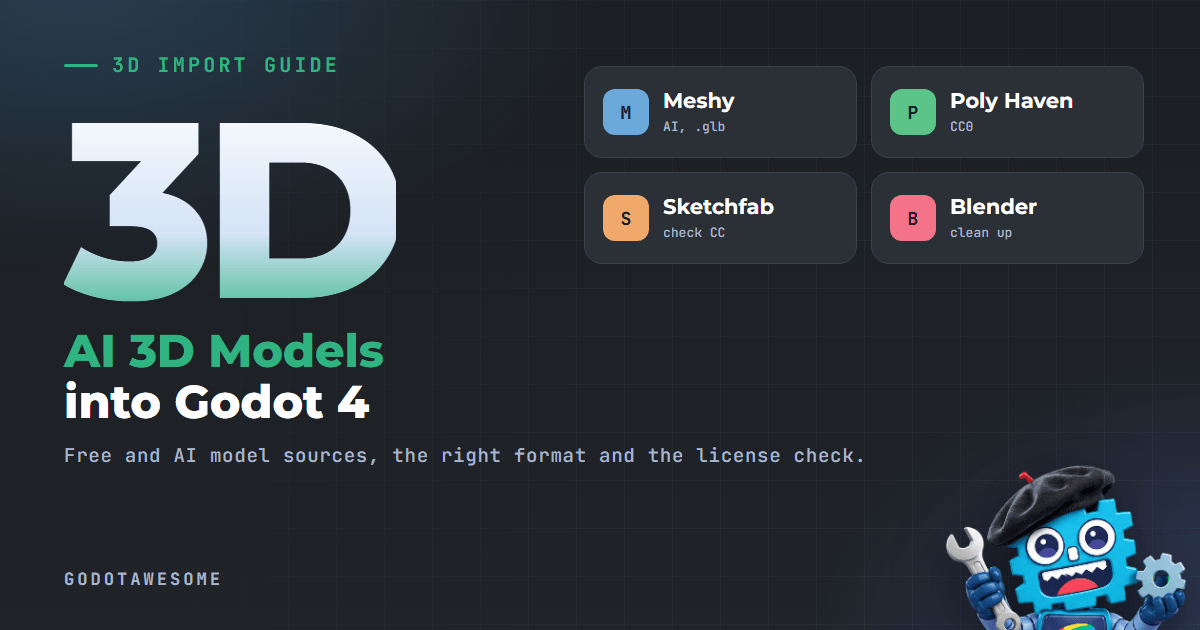
Download the model as .glb, drop it into your Godot project folder, and double-click it to add collision in Advanced Import Settings. glTF 2.0 (.glb or .gltf) is the format the Godot docs recommend, and Meshy, Poly Haven, Sketchfab and Blender all export it. The two things that usually go wrong are not the import: AI models are often too heavy for a game, and the license may not allow a commercial release.
This guide is based on the official Godot 4.7 import docs and the current Meshy, Poly Haven and Sketchfab license pages. We did not import test models for this page.
Last checked: 19 November 2026.
30-second answer
| Source | What you get | Download format for Godot | Can I sell a game with it? |
|---|---|---|---|
| Meshy (AI text or image to 3D) | A new model from a prompt or picture | .glb |
Free plan: yes, with credit (CC BY 4.0). Paid plans: yes, you own the assets |
| Poly Haven | Hand-made models, textures, HDRIs | .gltf / .blend |
Yes, CC0, no credit needed |
| Sketchfab (free downloads) | Community models | .glb / glTF |
Depends on each model's Creative Commons license |
| Blender | Your own edits and fixes | Save .blend or export .glb |
Your own work |
Step 1: pick the right file format
Godot 4 imports these 3D formats, according to the docs:
| Format | Use it? | Notes |
|---|---|---|
glTF 2.0 (.glb, .gltf) |
Yes, recommended | .glb is one smaller file with textures inside. .gltf keeps textures separate, which is nicer for Git |
.blend |
Yes, if Blender is installed | Godot calls Blender in the background to convert it to glTF. Needs Blender 3.0+, 3.5+ recommended |
| FBX | OK | Imported with the built-in ufbx library since Godot 4.3 |
| OBJ | Only for simple static meshes | No skeletons, animations, UV2 or PBR materials |
| DAE (Collada) | Avoid | Older format, use glTF instead |
If a site offers several downloads, take .glb.
Step 2: get the model
Meshy (AI generated)
- Generate a model from text or an image.
- Download it as GLB. Meshy also offers FBX, OBJ, USDZ, STL, BLEND and 3MF.
- Meshy lists plugins for Blender, Unity and Unreal, but no Godot plugin, so you download the file and import it yourself.
License, from Meshy's pricing page: free plan outputs are licensed CC BY 4.0 (commercial use with attribution), so credit Meshy in your game or store page. Paid plans give you a private license and full ownership. Downloads on the free plan are limited, so check the current pricing page before you plan a whole game around it.
Poly Haven (free, CC0)
Every Poly Haven model, texture and HDRI is CC0: commercial use is allowed and credit is not required. Download the glTF version of a model, or the .blend if you want to edit it first. Poly Haven HDRIs are also handy as a sky for a WorldEnvironment.
Sketchfab (free downloads)
Free downloadable models on Sketchfab use Creative Commons licenses chosen by each creator. Sketchfab says most of them allow commercial use, but you must credit the author. Read the license on the model page before you use it. What each Creative Commons license means for a game:
| License | Commercial game? | Credit? |
|---|---|---|
| CC0 (public domain) | Yes | No |
| CC BY | Yes | Yes |
| CC BY-SA | Yes, but your changes to the model must use the same license | Yes |
| CC BY-NC | No | Yes |
| CC BY-ND | Only unchanged | Yes |
Sketchfab offers downloads as glTF, GLB and USDZ. You need a Sketchfab account to download. Credit the creator's username and link to the model page, for example in your game's credits screen.
Step 3: clean it up in Blender (AI models need this most)
AI generated models often have far more triangles than a game needs, plus messy topology and big textures. Before importing:
- Open the model in Blender (File > Import > glTF 2.0).
- Check the triangle count (turn on Statistics in the viewport overlays).
- Reduce it with a Decimate modifier, or use Meshy's own Remesh option before you download.
- Set the origin where you want the pivot (for example at the feet of a character).
- Apply scale (Ctrl+A > Scale). glTF uses meters and Y-up, like Godot.
- Turn on Backface Culling in the material settings. The Godot docs note that Blender exports materials with culling disabled otherwise, which costs performance.
- Export with File > Export > glTF 2.0 as
.glb.
If your model has shape keys (blend shapes), the docs say to enable Data > Armature > Export Deformation Bones Only in the glTF export, or shading will be wrong.
Shortcut: save the .blend file inside your Godot project. Godot imports it directly and reimports when you save in Blender. Set the path under Editor Settings > Filesystem > Import > Blender > Blender Path if Godot does not find Blender. Everyone on the team then needs Blender installed, and .blend import does not work in the Android and web editors.
Step 4: import into Godot and add collision
- Copy the
.glb(and textures, if separate) into your project folder. Godot imports it when the editor gets focus. - Double-click the file in the FileSystem dock to open Advanced Import Settings.
- Select the mesh and turn on Generate > Physics.
- Choose the Body Type: Static (
StaticBody3D), Dynamic (RigidBody3D) or Area (Area3D). - Choose the Shape Type. The docs recommend Trimesh for static level geometry, and simple or convex shapes for moving objects. Trimesh only works with Static bodies.
- Click Reimport.
Other useful import options:
| Option | Where | Why |
|---|---|---|
| Root Scale | Import dock | Fix a model that comes in too big or too small |
| Generate LODs | Import dock (Meshes) | Lower detail versions for distant objects |
| Generate > NavMesh | Advanced Import Settings | Navigation region from the mesh |
You can also name objects in Blender with suffixes like -col (triangle mesh collision), -convcol (convex collision) or -colonly (collision without the visible mesh). Godot reads these on import.
For physics-heavy 3D scenes, see how to enable Jolt physics.
Step 5: place it from code (optional)
An imported .glb behaves like a scene, so you can load and instance it:
extends Node3D

const CRATE := preload("res://models/crate.glb")

func _ready() -> void:
	for i in 5:
		var crate := CRATE.instantiate()
		crate.position = Vector3(i * 2.0, 0.0, 0.0)
		add_child(crate)
To change materials or add scripts without losing them on reimport, create an inherited scene (right-click the file > New Inherited Scene) and edit that instead.
Common problems
| Problem | Likely cause | Fix |
|---|---|---|
| Game slows down after adding AI models | Too many triangles | Decimate or remesh, keep Generate LODs on |
| Model is huge or tiny | Unapplied scale or wrong units | Apply scale in Blender, or set Root Scale |
| Model rotates around a strange point | Origin not set | Set the origin in Blender and export again |
| Inside faces are drawn | Backface culling off in Blender | Enable Backface Culling and export again |
.blend file does not import |
Blender not found | Install Blender from blender.org, set Blender Path |
Textures missing with .gltf |
Texture files not copied | Copy the .bin and textures too, or use .glb |
| Wrong shading on a character with shape keys | Non-deforming bones exported | Enable Export Deformation Bones Only |
Low-poly alternative
If you want a blocky or low-poly style, modeling it yourself can be faster than cleaning AI output. See our Blockbench guide for Godot.
FAQ
What is the best 3D format for Godot 4?
glTF 2.0. The docs recommend it, and .glb keeps everything in one file.
Can I use Meshy models in a commercial Godot game?
Yes. On the free plan the license is CC BY 4.0, so you must credit Meshy. On a paid plan you own the assets.
Are Poly Haven models free for commercial use?
Yes. They are CC0, so you can use them in a paid game without credit.
Can Godot import .blend files directly?
Yes, if Blender 3.0 or newer is installed. Godot converts them to glTF in the background.
Does Godot import FBX?
Yes. Since Godot 4.3, FBX files use the built-in ufbx importer, no extra tools needed.
Is there a Meshy plugin for Godot?
Meshy's pricing page lists plugins for Blender, Unity, Unreal and others, but not Godot. Download the .glb and import it.
Related
Sources
- Available 3D formats (official Godot docs)
- Advanced Import Settings (official Godot docs)
- Node type customization using name suffixes (official Godot docs)
- Meshy pricing and license FAQ
- Poly Haven license
- An Introduction to Creative Commons Licenses (Sketchfab blog)
- Sketchfab Download API: formats and licensing
Found an error? Use the correction form.