

Practical Godot guides from the GodotAwesome team, checked against official docs and release notes.
GDScript vs C# in Godot 4: Which One Should You Pick in 2026?
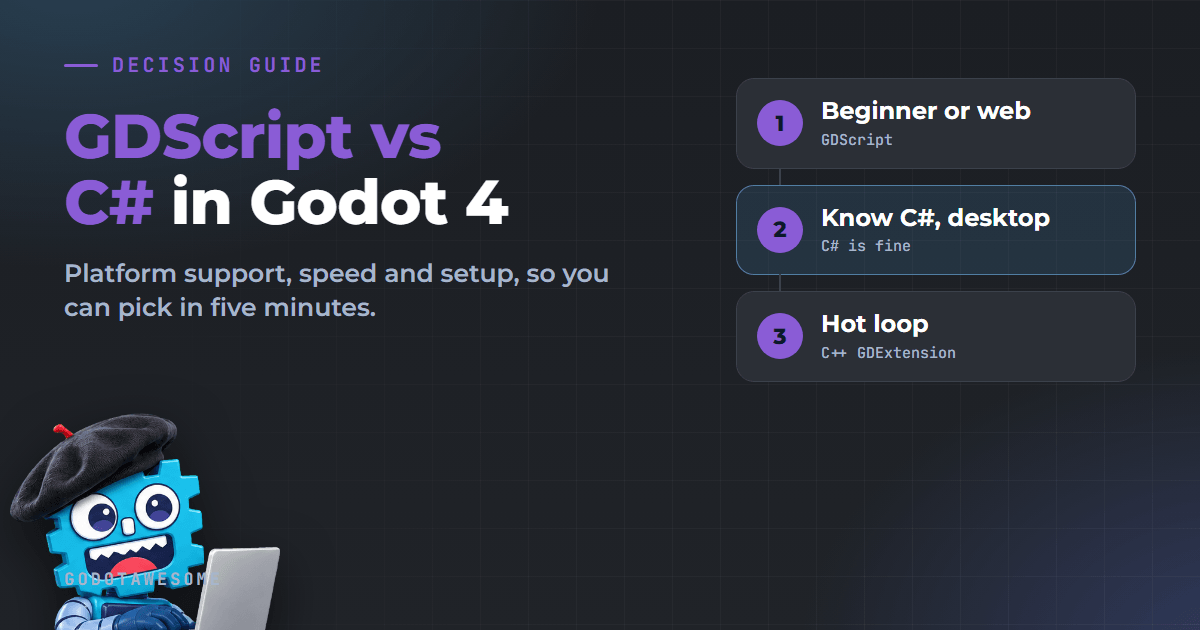
Pick GDScript if you are new to Godot or want to ship on the web. Pick C# if you already know it and only target desktop. That is also what the official docs recommend: start with GDScript as a beginner, and use C# mainly if you already have experience with the language. Speed is rarely the deciding factor, because both run game logic fast enough and most heavy work happens in Godot's C++ core.
This page is based on the official Godot 4.7 documentation (stable) and the Godot 4.8 beta 4 announcement. We did not run benchmarks for it.
Last checked: 19 November 2026.
30-second answer
| Your situation | Pick |
|---|---|
| First game, first engine, or you know Python | GDScript |
| You want a web (HTML5) build, for example on itch.io | GDScript (C# cannot export to the web in Godot 4) |
| Mobile game you want to ship soon | GDScript (C# on Android and iOS is still experimental) |
| You already write C# at work or came from Unity | C# |
| You need NuGet libraries or a big .NET codebase | C# |
| Desktop only (Windows, macOS, Linux) and you like static typing | Either one, C# is fine |
| You need maximum speed in one hot loop | Write that part in C++ (GDExtension), keep the rest in either language |
Platform support: the deciding table
This is where most people should decide. Check where your game has to run first.
| Platform | GDScript | C# in Godot 4 |
|---|---|---|
| Windows, macOS, Linux | Yes | Yes |
| Android | Yes | Experimental since Godot 4.2, needs .NET 9 or newer to export |
| iOS | Yes | Experimental since Godot 4.2 |
| Web (HTML5) | Yes | No |
The docs say C# on Android and iOS is experimental and "some limitations apply". If you plan a web or mobile release, GDScript is the safe choice today. For web builds, see our Godot web export guide.
The same script in both languages
A 2D player that moves with the arrow keys. Attach it to a CharacterBody2D.
GDScript (player.gd):
extends CharacterBody2D

@export var speed := 200.0

func _physics_process(delta: float) -> void:
	var direction := Input.get_vector("ui_left", "ui_right", "ui_up", "ui_down")
	velocity = direction * speed
	move_and_slide()
C# (Player.cs):
using Godot;

public partial class Player : CharacterBody2D
{
    [Export] public float Speed = 200.0f;

    public override void _PhysicsProcess(double delta)
    {
        Vector2 direction = Input.GetVector("ui_left", "ui_right", "ui_up", "ui_down");
        Velocity = direction * Speed;
        MoveAndSlide();
    }
}
What changes:
- C# uses PascalCase (
MoveAndSlide), GDScript uses snake_case (move_and_slide). - C# classes must be
partial, and the class name must match the file name, or you get "Cannot find class XXX for script res://XXX.cs". - GDScript functions like
printlive in theGDclass in C# (GD.Print).
Signals in both languages
signal health_changed(value: int)

var health := 100

func take_damage(amount: int) -> void:
	health -= amount
health_changed.emit(health)[Signal] public delegate void HealthChangedEventHandler(int value);
public int Health = 100;
public void TakeDamage(int amount)
{
Health -= amount;
EmitSignal(SignalName.HealthChanged, Health);
}Setup: what each language needs
| GDScript | C# | |
|---|---|---|
| Godot download | Standard build | .NET build (separate download) |
| Extra install | Nothing | .NET SDK (8 or newer for Godot 4.7, 10 or newer for Godot 4.8) |
| Code editor | Built-in editor works well | External editor recommended: VS Code, Visual Studio or JetBrains Rider |
| After changing exported variables | Shows up right away | Rebuild the project (Build button) to see new exports and signals |
| Learning resources | Most tutorials and docs examples | Fewer, some doc pages still lack C# examples |
The .NET build also runs GDScript, so you can switch later. Godot 4.8 raises the minimum .NET version from 8 to 10, so update the SDK before you try the 4.8 beta.
Is C# faster than GDScript?
Sometimes, and it usually does not matter. The official FAQ says:
- Most performance problems come from slow algorithms, the GPU or engine code like physics, not from the scripting language.
- C# and GDScript are "within the same order of magnitude".
- C# can be faster when your code does few calls into the engine (pure math, data processing).
- C# can be slower when your code makes many engine API calls, because each call has a marshalling cost.
- C# has a garbage collector, which can cause stutters in complex projects. GDScript uses reference counting instead.
- C++ through GDExtension is faster than both.
So if you pick C# "because it is faster", you may be disappointed. Pick it for the language, the tooling and the libraries.
C# speed tip from the docs
Every property read on a node is a call into the engine. Cache it in a local variable inside loops:
var newPosition = Position;
for (var i = 0; i < 10; i++)
{
    newPosition += new Vector3(i, i, 0);
}
Position = newPosition; // one engine call instead of ten
Strong points of each
GDScript
- Made for Godot, with the tightest editor integration: autocomplete for nodes and signals from the attached scene
- Short files and very fast load times
- Optional static typing (
var speed: float = 200.0or:=) for type checks and better autocomplete - No garbage collector pauses
- Works on every platform Godot exports to
C#
- Mature language with a huge library ecosystem (NuGet packages work)
- Full IDE features: debugging, refactoring and profiling in Rider or Visual Studio
- Familiar if you come from Unity or .NET work
- Can be faster for logic that rarely touches the engine
Known C# gotchas in Godot 4
From the official "C# basics" page:
- Editor plugins in C# are possible but "quite convoluted".
- Hot reload does not keep state, except exported variables.
- Methods like
Call(),CallDeferred()andConnect()expect snake_case names. Use the generatedMethodName,PropertyNameandSignalNamemembers instead of strings. Position.X = 100fails with error CS1612 becauseVector2is a struct. UsePosition = Position with { X = 100.0f };.
Can I use both in one project?
Yes. The docs describe mixing languages, for example gameplay in GDScript and a heavy algorithm in C# or C++. You need the .NET build of Godot for this. The docs also warn that cross-language scripting "comes with its own complications", so for a small game one language is simpler.
FAQ
Should a beginner learn GDScript or C#?
GDScript. The official docs recommend it for beginners, most tutorials use it, and it works on every platform.
Is GDScript the same as Python?
No. It looks like Python because it uses indentation, but it is a separate language made for Godot. Python knowledge helps you read it quickly.
Can I switch from GDScript to C# later?
Yes. Download the .NET build of Godot. Your GDScript files keep working, and you can write new scripts in C# next to them.
Does Godot C# work on the web?
No. Godot 4 projects that use C# cannot be exported to the web. The docs suggest Godot 3 if you need C# on the web.
Is Godot C# the same as Unity C#?
The language is the same, the engine API is different. Godot uses nodes and signals, and method names follow Godot's API (MoveAndSlide, GetNode). Our Godot vs Unity comparison covers the bigger differences.
Which version of Godot should I use?
The latest stable release. See Godot versions and support status.
Sources
- Scripting languages (official docs)
- C# basics (official docs)
- FAQ: Which programming language is fastest? (official docs)
- Dev snapshot: Godot 4.8 beta 4 (official, .NET 10 requirement)
Found an error? Use the correction form.