Practical Godot guides from the GodotAwesome team, checked against official docs and release notes.
Godot Shader Tutorial for Beginners: 5 Simple 2D Effects (Godot 4)
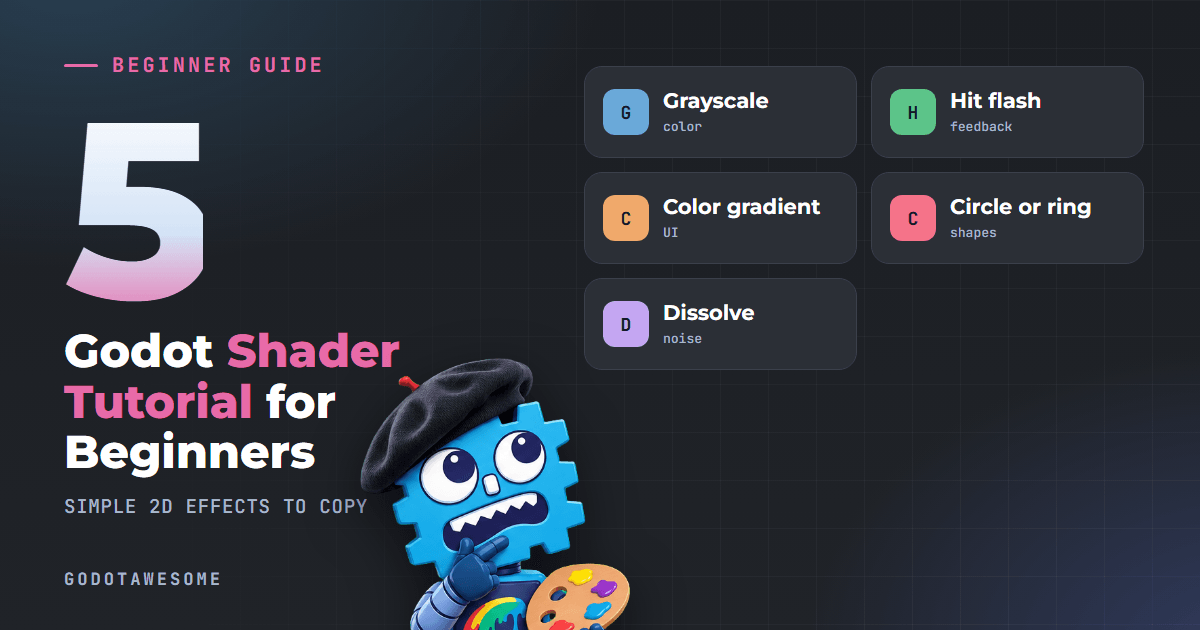
A Godot 2D shader is a small text file that starts with shader_type canvas_item; and changes the color (or position) of every pixel a node draws. You attach it through a ShaderMaterial on any Sprite2D, ColorRect or other CanvasItem. This page gives you five short shaders to copy: grayscale, hit flash, color gradient, circle or ring, and dissolve. It also shows the GDScript you need to drive them.
Written for Godot 4.7.2 stable. Godot 4.8 is still in beta (beta 5, 24 November 2026), so nothing here targets 4.8. We wrote this guide from the official Godot 4.7 shader docs and did not run these shaders for this page. Every API name links to its reference.
Last checked: 27 November 2026.
30-second answer
| Question | Answer |
|---|---|
| Which shader type is for 2D? | canvas_item (shader types) |
| Where do I add it? | Inspector > CanvasItem > Material > New ShaderMaterial > Shader > New Shader |
| Which function changes pixel color? | fragment(), by writing to COLOR |
| Which function moves the shape? | vertex(), by changing VERTEX |
| How do I change a value from GDScript? | material.set_shader_parameter("name", value) |
Godot 3 tutorial uses set_shader_param? |
That is the Godot 3 name. In Godot 4 it is set_shader_parameter |
Setup (do this once)
- Add a Sprite2D and give it a texture. The default
icon.svgis fine. - In the Inspector, open CanvasItem > Material and pick New ShaderMaterial.
- Click the new material, then Shader > New Shader. Keep the type as CanvasItem.
- Replace the code with one of the shaders below.
Every CanvasItem has a material property, so the same steps work on a ColorRect, a TextureRect or a TileMapLayer (docs).
Each uniform you declare shows up in the Inspector under Shader Parameters, so you can tweak it without code.
The 5 built-ins you will use
| Name | Where | What it is |
|---|---|---|
COLOR |
fragment() |
Input: vertex color (includes modulate) times the texture color. Also the output color |
UV |
both | Texture coordinates from 0.0 to 1.0 |
TEXTURE |
both | The node's default texture |
TIME |
both | Seconds since the engine started. Repeats every 3,600 seconds |
VERTEX |
vertex() |
Vertex position in local pixel coordinates |
Source: CanvasItem shader reference.
Because COLOR already holds the texture color in fragment(), most effects below just read COLOR and change it. That also keeps the node's modulate working.
Effect 1: Grayscale
Turns the sprite gray. amount blends between the original color (0.0) and full gray (1.0).
shader_type canvas_item;

uniform float amount : hint_range(0.0, 1.0) = 1.0;

void fragment() {
	float gray = dot(COLOR.rgb, vec3(0.299, 0.587, 0.114));
	COLOR.rgb = mix(COLOR.rgb, vec3(gray), amount);
}
hint_range(min, max)gives you a slider in the Inspector (shading language).dotwith these three weights is a common way to get brightness. Green counts most because our eyes are most sensitive to it.mix(a, b, c)returnsa * (1 - c) + b * c(shader functions).
Use it for: a disabled button, a "dead" enemy, a paused scene.
Effect 2: Hit flash
Flashes the sprite white (or any color) when it takes damage. Transparent pixels stay transparent because only rgb changes.
shader_type canvas_item;

uniform vec4 flash_color : source_color = vec4(1.0);
uniform float flash_amount : hint_range(0.0, 1.0) = 0.0;

void fragment() {
	COLOR.rgb = mix(COLOR.rgb, flash_color.rgb, flash_amount);
}
Drive it from GDScript with a Tween that goes from 1.0 to 0.0:
extends Sprite2D

func flash() -> void:
	var tween := create_tween()
	tween.tween_method(_set_flash, 1.0, 0.0, 0.15)

func _set_flash(value: float) -> void:
(material as ShaderMaterial).set_shader_parameter("flash_amount", value)source_colormarks a uniform as a color, so the Inspector shows a color picker. Godot 3 called thishint_color(upgrade guide).tween_method(method, from, to, duration)calls your method with each value in between (Tween).- The parameter name is case-sensitive and must match the uniform name exactly (ShaderMaterial).
Every enemy flashes at once? See "Shared material" in the common problems table below.
Effect 3: Color gradient
Paints a vertical gradient from top_color to bottom_color. On a white ColorRect you get a pure gradient background. On a sprite it tints the sprite from top to bottom.
shader_type canvas_item;

uniform vec4 top_color : source_color = vec4(1.0, 0.8, 0.2, 1.0);
uniform vec4 bottom_color : source_color = vec4(0.9, 0.2, 0.4, 1.0);

void fragment() {
	vec3 gradient = mix(top_color.rgb, bottom_color.rgb, UV.y);
	COLOR.rgb *= gradient;
}UV.yis 0.0 at the top and 1.0 at the bottom in Godot. GLSL code from other engines often has y flipped (GLSL conversion).- For a horizontal gradient, use
UV.x. For a diagonal one, use(UV.x + UV.y) * 0.5.
Effect 4: Circle or ring
Draws a soft ring on a ColorRect, with no texture needed. Set thickness equal to radius to get a filled circle.
shader_type canvas_item;

uniform vec4 ring_color : source_color = vec4(1.0);
uniform float radius : hint_range(0.0, 0.5) = 0.4;
uniform float thickness : hint_range(0.0, 0.5) = 0.08;
uniform float softness : hint_range(0.001, 0.05) = 0.01;

void fragment() {
	float d = distance(UV, vec2(0.5));
	float outer = 1.0 - smoothstep(radius - softness, radius, d);
	float inner = 1.0 - smoothstep(radius - thickness - softness, radius - thickness, d);
	COLOR = vec4(ring_color.rgb, ring_color.a * (outer - inner));
}
distance(UV, vec2(0.5))is how far each pixel is from the center of the rectangle.smoothstepmakes a soft edge instead of a jagged one.softnessstarts at 0.001 so its two edges never become equal.- Keep the ColorRect square. On a wide rectangle the circle stretches into an oval, because
UValways goes from 0.0 to 1.0 on both axes.
Use it for: a selection ring under a unit, a cooldown marker, a soft spotlight.
Effect 5: Dissolve
Burns the sprite away using a noise texture, with a glowing edge. progress goes from 0.0 (fully visible) to 1.0 (gone).
shader_type canvas_item;

uniform sampler2D noise_texture;
uniform float progress : hint_range(0.0, 1.0) = 0.0;
uniform float edge_width : hint_range(0.0, 0.2) = 0.05;
uniform vec4 edge_color : source_color = vec4(1.0, 0.5, 0.0, 1.0);

void fragment() {
	float n = texture(noise_texture, UV).r;
	float visible = step(progress, n);
	float edge = (1.0 - step(progress + edge_width, n)) * visible * step(0.001, progress);
	COLOR.rgb = mix(COLOR.rgb, edge_color.rgb, edge);
	COLOR.a *= visible;
}
Set up the noise: in Shader Parameters, click Noise Texture > New NoiseTexture2D, then open it and set Noise > New FastNoiseLite (NoiseTexture2D, FastNoiseLite).
Then dissolve and remove the node from GDScript:
extends Sprite2D

func dissolve_and_free() -> void:
	var tween := create_tween()
	tween.tween_method(_set_dissolve, 0.0, 1.0, 0.6)
	tween.tween_callback(queue_free)

func _set_dissolve(value: float) -> void:
	(material as ShaderMaterial).set_shader_parameter("progress", value)
step(a, b)returns 0.0 whenb < a, otherwise 1.0 (shader functions). Pixels whose noise value is belowprogressdisappear first.step(0.001, progress)hides the edge color whileprogressis still 0.0.- Tween steps run one after another, so
queue_freeis called after the dissolve ends (Tween).
Bonus: make the sprite sway (vertex)
Everything above changes color. To move the shape, use vertex(). This sways the top of a sprite like grass or a tree while the bottom stays put.
shader_type canvas_item;

uniform float amplitude = 4.0;
uniform float speed = 2.0;

void vertex() {
	VERTEX.x += sin(TIME * speed) * amplitude * (1.0 - UV.y);
}
VERTEX is in local pixel coordinates, so amplitude is in pixels (CanvasItem shader reference). A Sprite2D is a single rectangle, so this bends it as a whole (a shear). A wavy, rippling look needs a different technique: offsetting UV in fragment() instead.
Common problems
| Problem | Cause | Fix |
|---|---|---|
set_shader_param does not exist |
Godot 3 method name | Use set_shader_parameter (ShaderMaterial) |
hint_color gives an error |
Renamed in Godot 4 | Use source_color (upgrade guide) |
| Value from code does nothing | Name does not match the uniform | Names are case-sensitive and must match exactly |
| Shared material: every enemy flashes at once | All instances use the same ShaderMaterial resource | Tick Resource > Local to Scene on the material (Resource), or run material = material.duplicate() in _ready() |
| Outline gets cut off at the sprite edge | fragment() only runs on pixels the sprite covers |
Leave transparent padding around the sprite in your image (first 2D shader) |
| Gradient or dissolve looks wrong on a sprite sheet | With a region enabled, UV covers the whole texture, not just your frame |
Use REGION_RECT to work inside the region (CanvasItem shader reference) |
Sprite ignores modulate |
Shader overwrites COLOR with texture(TEXTURE, UV) |
Read and change COLOR instead, as in the examples above |
| Ported Shadertoy code fails | Different names | mainImage becomes fragment, fragColor becomes COLOR, iTime becomes TIME (GLSL conversion) |
Coming from GLSL or Shadertoy?
Godot's shading language is close to GLSL ES 3.0, but a few names differ. The official table maps them:
| GLSL / Shadertoy | Godot |
|---|---|
main() |
fragment() or vertex() |
gl_FragColor, fragColor |
COLOR |
gl_FragCoord, fragCoord |
FRAGCOORD |
iTime, u_time |
TIME |
iResolution, u_resolution |
1.0 / SCREEN_PIXEL_SIZE |
iChannel0 |
TEXTURE (Godot has one built-in, add more as uniform sampler2D) |
iMouse, iFrame |
Pass them in yourself as uniforms |
Source: Converting GLSL to Godot shaders.
Checklist
- First line is
shader_type canvas_item; - Shader is inside a ShaderMaterial on the node's Material slot
- Color effects change
COLORinfragment(), movement changesVERTEXinvertex() - Uniform names in GDScript match the shader exactly
- Material is Local to Scene (or duplicated) if instances need different values
- Copied code uses Godot 4 names:
set_shader_parameter,source_color
Next steps
- Prefer nodes over code? Godot also has a node-based VisualShader editor that builds the same shaders.
- Using C#? The call is
((ShaderMaterial)Material).SetShaderParameter("name", value);(first 2D shader). See GDScript vs C# in Godot if you are still choosing. - Want ready-made tools? Check the best Godot plugins for 2026.
Sources
- Your first 2D shader (Godot 4.7)
- Introduction to shaders
- CanvasItem shaders reference
- Shading language
- Built-in shader functions
- Converting GLSL to Godot shaders
- Upgrading from Godot 3 to Godot 4
- ShaderMaterial (4.7) and ShaderMaterial (3.6)
- Tween, Resource, NoiseTexture2D, FastNoiseLite
- Godot download page (4.7.2 stable) and preview builds (4.8 beta 5)