Author of GodotAwesome. She is creating valuable, reader-friendly content for the GodotAwesome community!.
Godot MCP Setup with Claude Code: Step-by-Step Guide (2026)
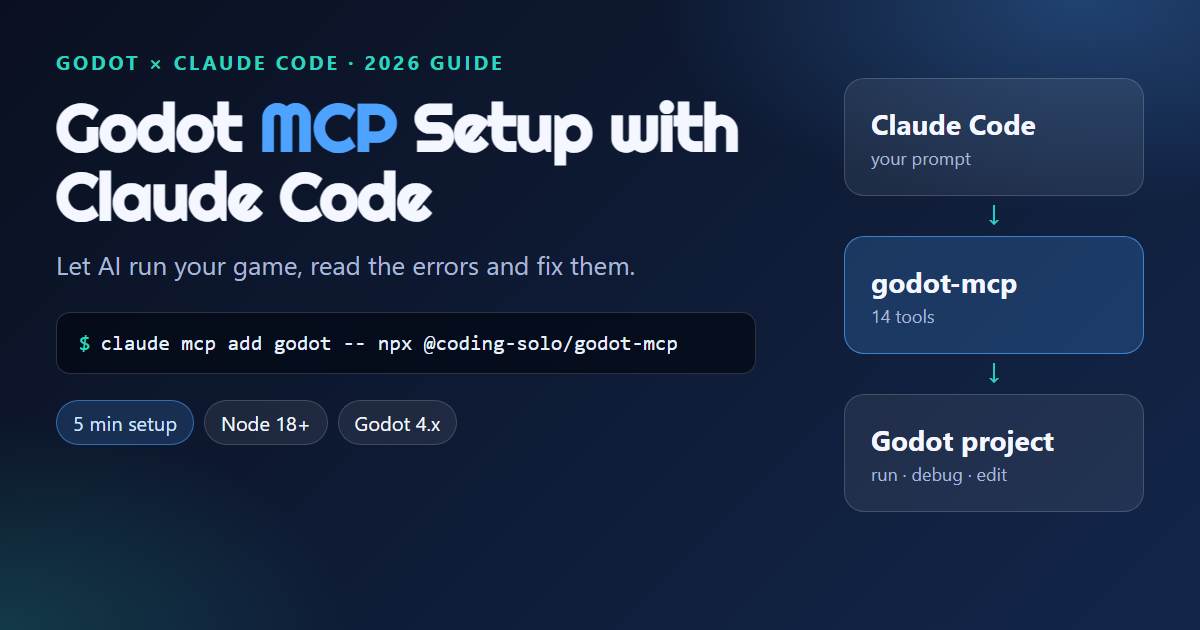
Want Claude Code to run your Godot project, read the errors and fix them? A Godot MCP server gives it exactly that ability, and setup takes about five minutes.
This guide uses the open-source Coding-Solo godot-mcp server. It works with Godot closed and only needs Node.js.
30-second answer
- Install Node.js 18+, Godot 4.x and Claude Code
- Open a terminal in your project folder (the one with
project.godot) - Run this command:
claude mcp add godot -- npx @coding-solo/godot-mcp- Start
claudeand ask: "Use the godot MCP server to get the Godot version."
If Godot is not on your PATH, add its location:
claude mcp add godot -e GODOT_PATH=/path/to/godot -e DEBUG=true -- npx @coding-solo/godot-mcp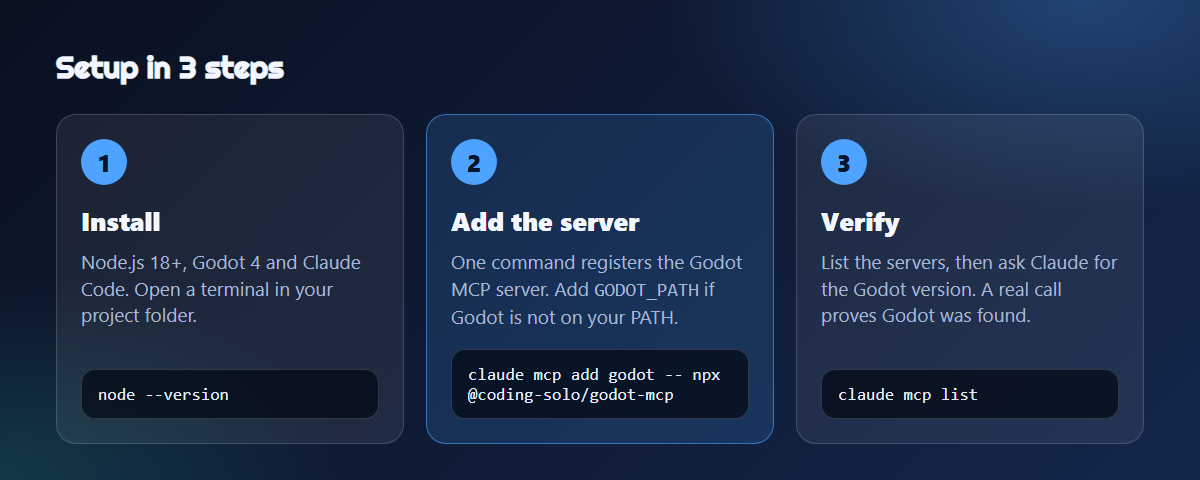
Already read our other MCP guide? Use Claude, ChatGPT & Grok with Godot compares several AI clients. This page is the focused Claude Code walkthrough, and our older Godot MCP Server introduction explains the project's background.
What a Godot MCP server does
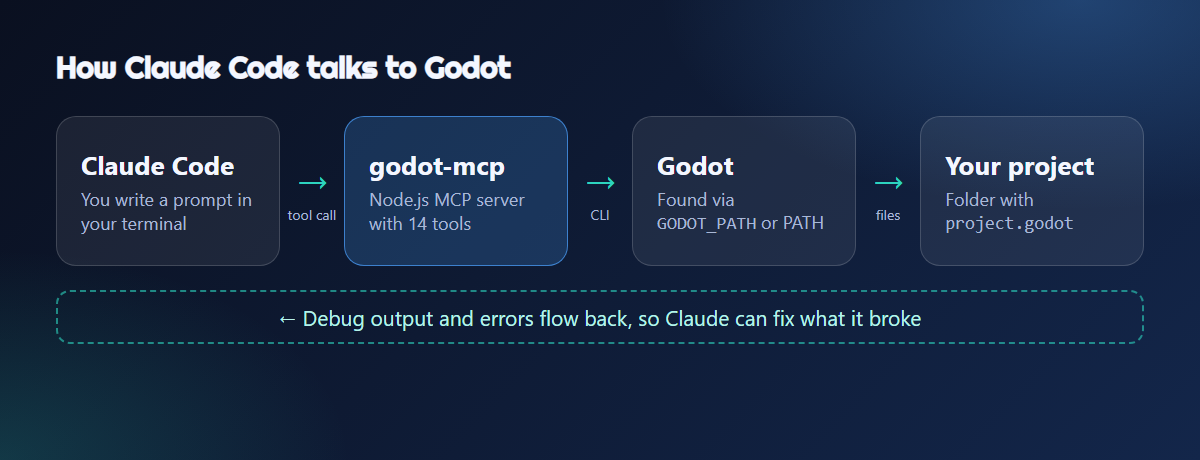
MCP (Model Context Protocol) is a standard way for an AI client to call tools on your computer. A Godot MCP server turns Godot actions (run the project, add a node, read debug output) into tools that Claude Code can use.
Without MCP, Claude can only edit your files. With it, Claude can also run the game and see what happened. That loop is what makes AI help useful for debugging.
Requirements
| Requirement | Notes |
|---|---|
| Godot Engine | Any Godot 4.x install. UID tools need Godot 4.4+ |
| Node.js | 18.0.0 or later, with npm |
| Claude Code | Any current version with the claude mcp command |
| A Godot project | A folder containing project.godot |
Check your versions:
node --version
claude --version
godot --version
If godot --version fails, that is fine. You can set GODOT_PATH in the next step.
Step 1: Add the server to Claude Code
From your project folder:
claude mcp add godot -- npx @coding-solo/godot-mcpDo not skip the --. Everything before it is a Claude option. Everything after it is the command that starts the server.
Choose a scope
| Scope | Flag | Who gets it |
|---|---|---|
| Local (default) | none | Only you, only this project |
| Project | --scope project |
Your whole team, saved in .mcp.json in the repo |
| User | --scope user |
You, in every project |
For a team repo, share the setup:
claude mcp add --scope project godot -- npx @coding-solo/godot-mcpSet GODOT_PATH (recommended on Windows)
The server tries to find Godot by itself. If it cannot, or you keep several versions, point it at the exact executable.
Windows (PowerShell):
claude mcp add godot -e GODOT_PATH="C:\Tools\Godot\Godot_v4.7-stable_win64.exe" -e DEBUG=true -- npx @coding-solo/godot-mcpmacOS:
claude mcp add godot -e GODOT_PATH=/Applications/Godot.app/Contents/MacOS/Godot -e DEBUG=true -- npx @coding-solo/godot-mcpLinux:
claude mcp add godot -e GODOT_PATH=/usr/local/bin/godot -e DEBUG=true -- npx @coding-solo/godot-mcpDEBUG=true turns on detailed server logs. It helps while you set things up, and you can remove it later.
Prefer a JSON config?
Put the same setup in .mcp.json in your project root:
{
  "mcpServers": {
    "godot": {
      "command": "npx",
      "args": ["@coding-solo/godot-mcp"],
      "env": {
        "GODOT_PATH": "/path/to/godot",
        "DEBUG": "true"
      }
    }
  }
}
Claude Code asks you to approve project-scoped servers the first time you use them.
Build from source (optional)
Want a pinned local copy instead of npx?
git clone https://github.com/Coding-Solo/godot-mcp.git
cd godot-mcp
npm install
npm run build
Then register the built file:
claude mcp add godot -- node /absolute/path/to/godot-mcp/build/index.jsStep 2: Verify the connection
claude mcp listYou should see godot with a Connected status. Inside Claude Code you can also type /mcp.
Connected only means the server started. It does not prove Godot was found or that your project path is valid. Always test with a real call:
"Use the godot MCP server to get the Godot version."
If that prints a version, Godot was found. If it fails, jump to the Troubleshooting section below.
Step 3: Try your first prompts
Open Claude Code in your project folder and try these in order.
| # | Goal | Prompt |
|---|---|---|
| 1 | Read the project | Get project info for this folder using the godot MCP server. |
| 2 | Run it | Run the project, wait a few seconds, then get the debug output and tell me about any errors. |
| 3 | Build something | Create scenes/coin.tscn with an Area2D root, add a CollisionShape2D and a Sprite2D, and save it. |
| 4 | Fix a bug | My player falls through the floor. Run the project, read the debug output, inspect the scene and fix it. |
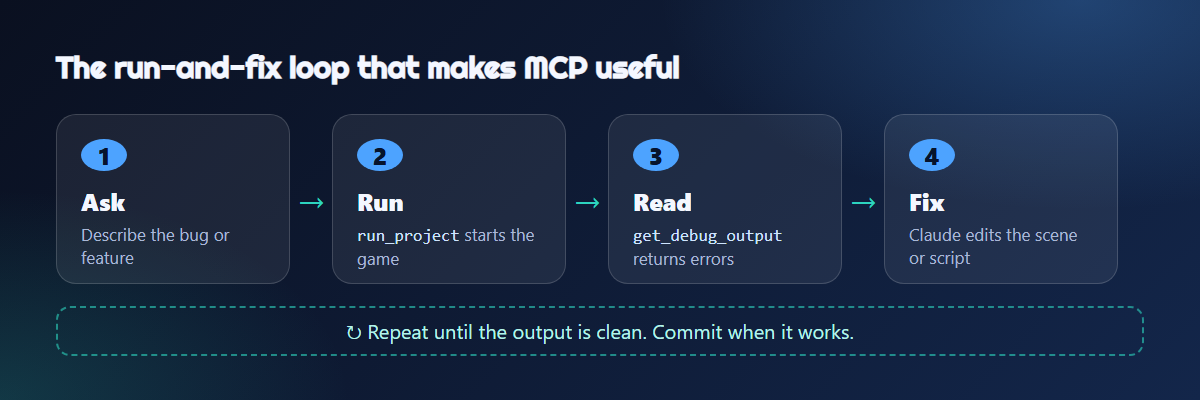
Tip: ask Claude to run the project after every change. The value of MCP is the feedback loop, not one-shot code generation.
The 14 tools at a glance
Run and debug
| Tool | What it does |
|---|---|
launch_editor |
Opens the Godot editor for a project |
run_project |
Runs the project and captures output |
get_debug_output |
Returns console output and errors |
stop_project |
Stops the running project |
Project info
| Tool | What it does |
|---|---|
get_godot_version |
Reports the installed Godot version |
list_projects |
Finds Godot projects in a folder |
get_project_info |
Reads project structure and metadata |
Scenes and assets
| Tool | What it does |
|---|---|
create_scene |
Creates a scene with a chosen root node type |
add_node |
Adds a node (with properties) to a scene |
load_sprite |
Loads a texture into a Sprite2D |
save_scene |
Saves a scene |
export_mesh_library |
Converts a 3D scene to a MeshLibrary for GridMap |
UIDs (Godot 4.4+)
| Tool | What it does |
|---|---|
get_uid |
Gets the UID of a resource |
update_project_uids |
Refreshes UID references |
New to UIDs? Our Godot 4.4 guide explains why they exist.
What it can and cannot do
| Good at | Not built for |
|---|---|
| Running the project and reading errors | Inspecting what you have selected in the open editor |
| Creating scenes and nodes | Live, two-way editor sync |
| UID maintenance | Replacing your own playtesting |
| Working while the editor is closed |
This server drives Godot through the command line and project files. If you need Claude to see the live, open editor, look at a live-bridge add-on such as "Godot MCP Pro" or "Godot AI" in the Godot Asset Store. Those install as editor plugins and have their own setup. Start with Coding-Solo, then add a bridge only if you hit its limits.
Troubleshooting
claude mcp list shows "Failed to connect"
- Check
node --version(it needs 18+) - Run
npx @coding-solo/godot-mcpby hand and read the error - On native Windows, if
npxwill not start, try wrapping it:claude mcp add godot -- cmd /c npx @coding-solo/godot-mcp
"Godot not found" or the wrong version runs
Set GODOT_PATH to the exact executable. A wrong path can silently fall back to a different Godot on your PATH, so run get_godot_version and confirm it is the one you expect.
"Invalid project path"
The folder must contain a project.godot file. Start Claude Code from the project root, or give it the full path.
get_debug_output returns nothing
Call it a few seconds after run_project. Immediate calls can come back empty because the game has not printed anything yet.
Claude says it "ran fine" but the game is broken
A script error can still end with a clean exit. Ask Claude to quote the debug output instead of summarizing it.
I added godot twice and it conflicts
Server names must be unique. Remove the old entry first:
claude mcp remove godotEdits do not show in the open editor
Enable Godot's external script reload (Editor Settings, Text Editor, Behavior, Files) if your version has it, or refocus the editor window.
Safety and good habits
- Use Git. Commit before you let an agent change scenes.
git diffshows exactly what it touched - Read permission prompts. Claude Code asks before tool calls by default. Do not blanket-approve a server you have not tested
- Playtest yourself. AI-written code still needs a human to try the game
- Know the engine's AI rule. Godot restricts AI-generated code in contributions to the engine itself. That policy does not stop you from using AI in your own game
FAQ
Does Claude Code work with Godot?
Yes. Claude Code edits your .gd and .tscn files directly, and an MCP server adds the ability to run the project and read its output.
Is the Godot MCP server free?
Coding-Solo's godot-mcp is open source under the MIT license. Claude Code itself needs its own Anthropic plan.
Do I need Godot 4.4 or newer?
For scene and run tools, a Godot 4 install is enough. The UID tools (get_uid, update_project_uids) require 4.4+.
Does it work with Godot 4.7?
Godot 4.7 is the current stable line at the time of writing. Point GODOT_PATH at the executable you use and run get_godot_version to confirm.
Can I use it with Cursor, Cline or Claude Desktop?
Yes. It is a standard MCP server, so the same command / args / env JSON works in other MCP clients. Cursor stores it in .cursor/mcp.json.
Can Claude Code write GDScript without MCP?
Yes. MCP is optional. It adds running, debugging and scene tools on top of normal file editing.
Bottom line
- Install:
claude mcp add godot -- npx @coding-solo/godot-mcp - Verify:
claude mcp list, then callget_godot_version - Windows: set
GODOT_PATHexplicitly - Workflow: change, run, read output, fix, repeat
- Safety: commit first, so Git is your undo button
Once it works, AI help stops being "paste the error and hope" and becomes a real run-and-fix loop inside your project.
Resources: