
Works on ShipThis, an open-source CLI for building and publishing Godot mobile games.
Ship a Godot iOS Game From an Android Phone (No Mac, No Laptop)
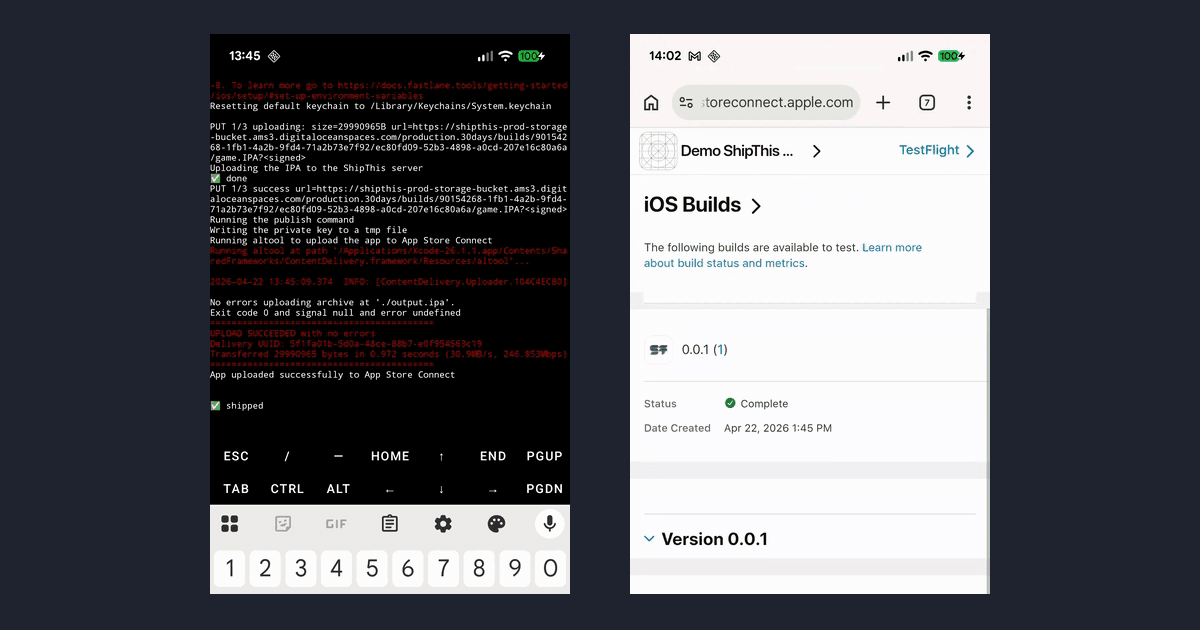
Godot on iOS without a Mac
Godot's iOS export gives you an Xcode project, and Xcode only runs on macOS. So most guides say you need a Mac to put a Godot game on iOS.
I wanted to see how far that could go, so this guide builds a Godot game for iOS and puts it in TestFlight using only an Android phone. The iOS build still happens on a Mac - a cloud one - but you do not need to own a Mac, or even a laptop.
Disclosure: I work on ShipThis, the command line tool used in this guide.
30-second answer
- Install Termux and the Godot Android editor
- In Termux:
pkg install nodejs, thennpm install -g shipthis - Put your project in
/sdcard/GodotProjectsso both apps can see it - Run
shipthis game wizard iosonce to set up signing - Run
shipthis game ship --platform ios --follow
What you need
- An Android phone
- An Apple Developer account - you need this to publish to TestFlight and the App Store
- An iPhone, if you want to play the build yourself
1. Set up Termux
ShipThis is a command line tool, so it needs a terminal. Termux gives you a Linux terminal on Android. The Play Store version needs Android 11 or later - there is also an F-Droid version. Pick one and do not mix packages from the two.
Open Termux and run:
termux-setup-storage
mkdir /sdcard/GodotProjects
The first command asks for storage access - accept it. The second makes a folder which Termux and the Godot editor can both get to.
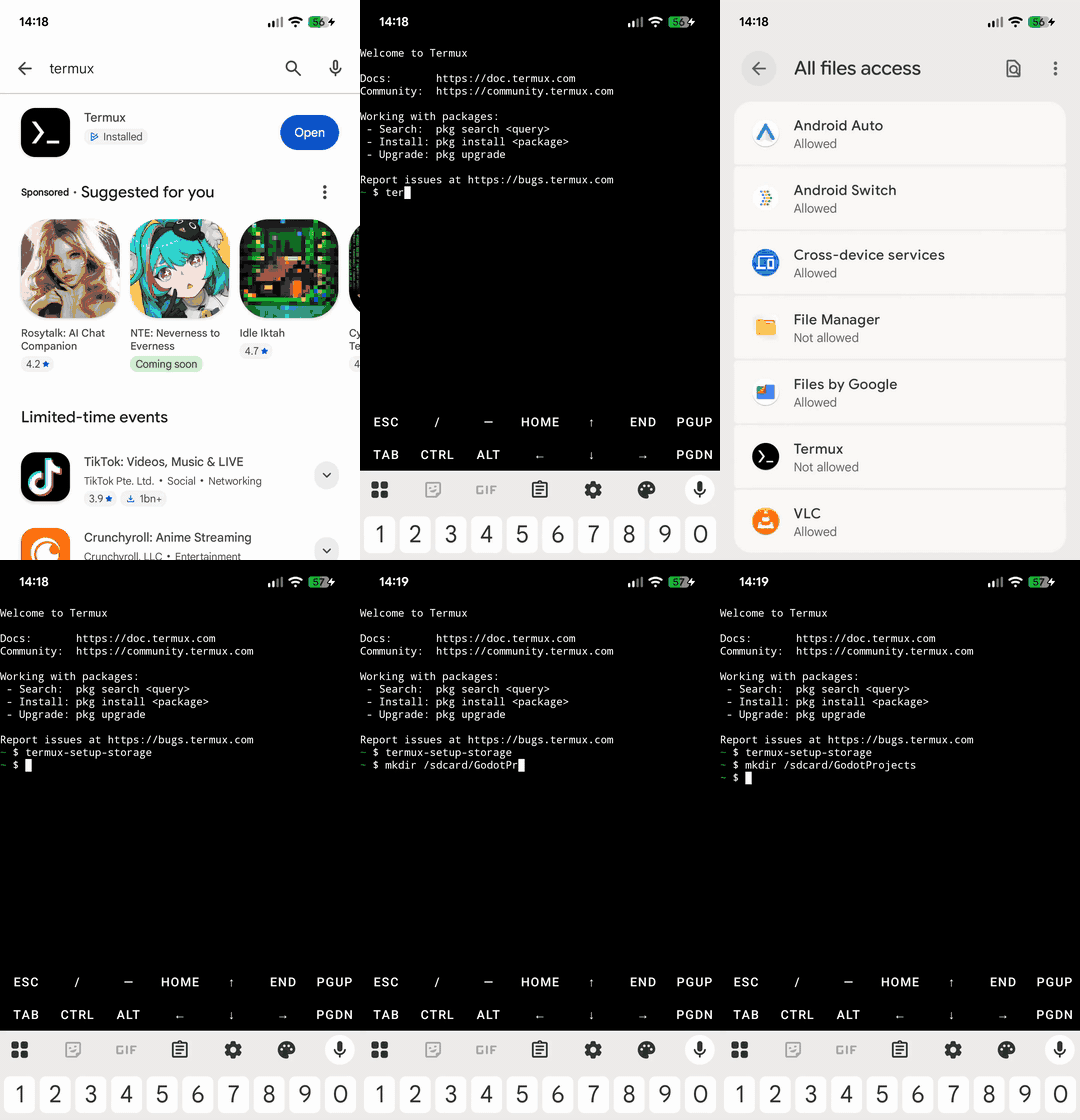
2. Install Node.js and ShipThis
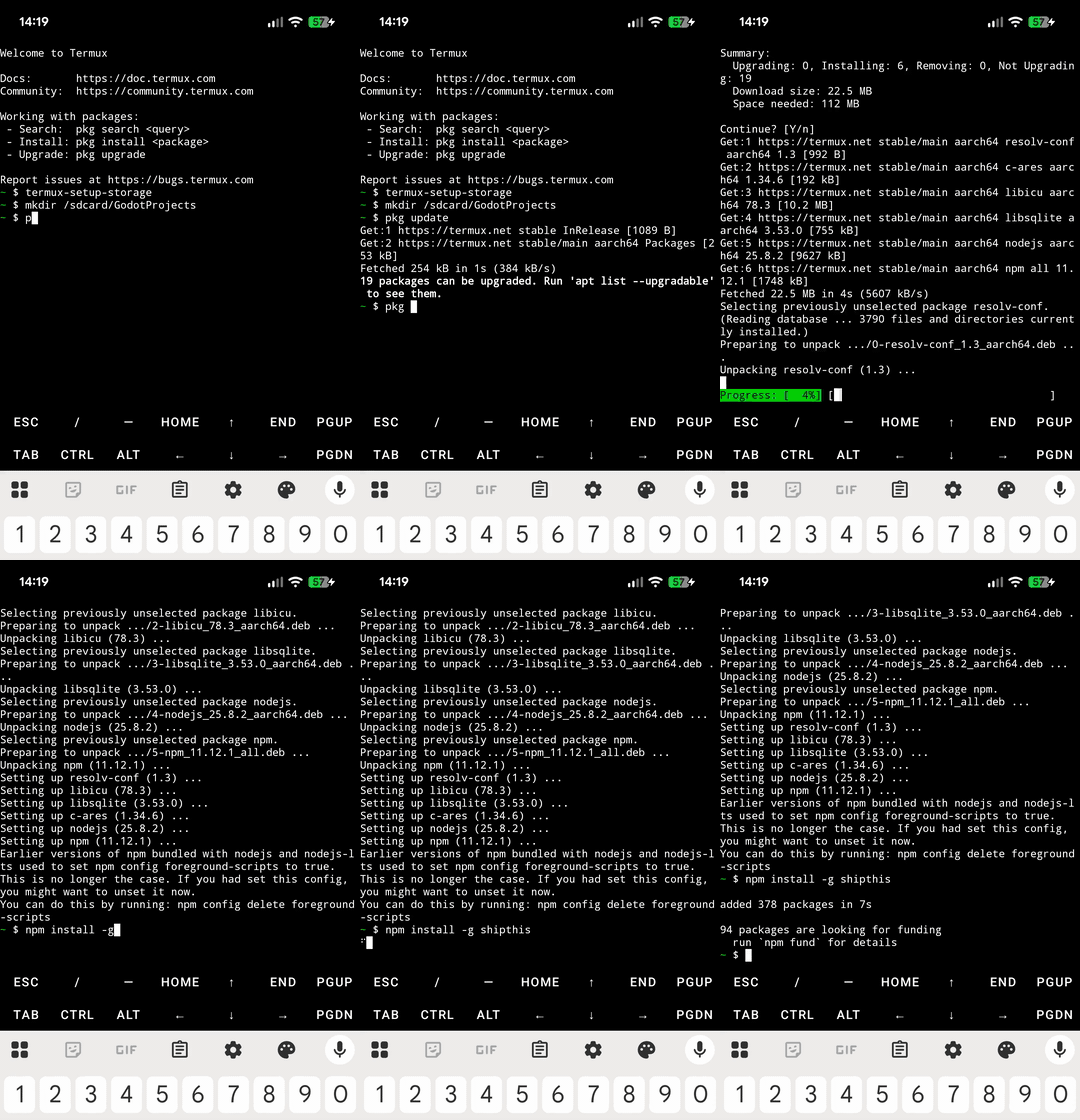
pkg update
pkg install nodejs
npm install -g shipthis
If pkg update stops to ask about a mirror or a config file, the default answer is fine.
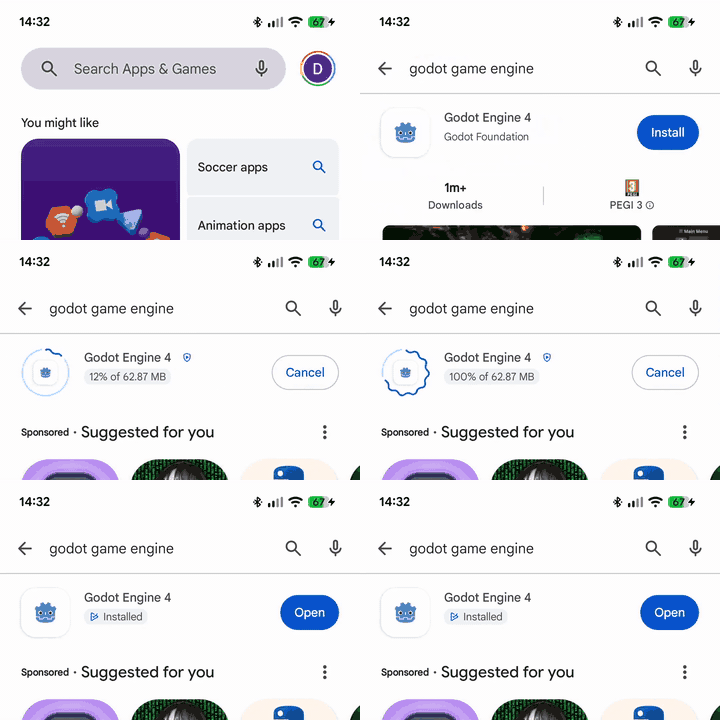
3. Install the Godot Android editor
The Godot Android editor is the official Godot 4 editor for Android. When it first opens it asks for All files access - allow it, as that is how it can save to the shared folder.
4. Get a project into the shared folder
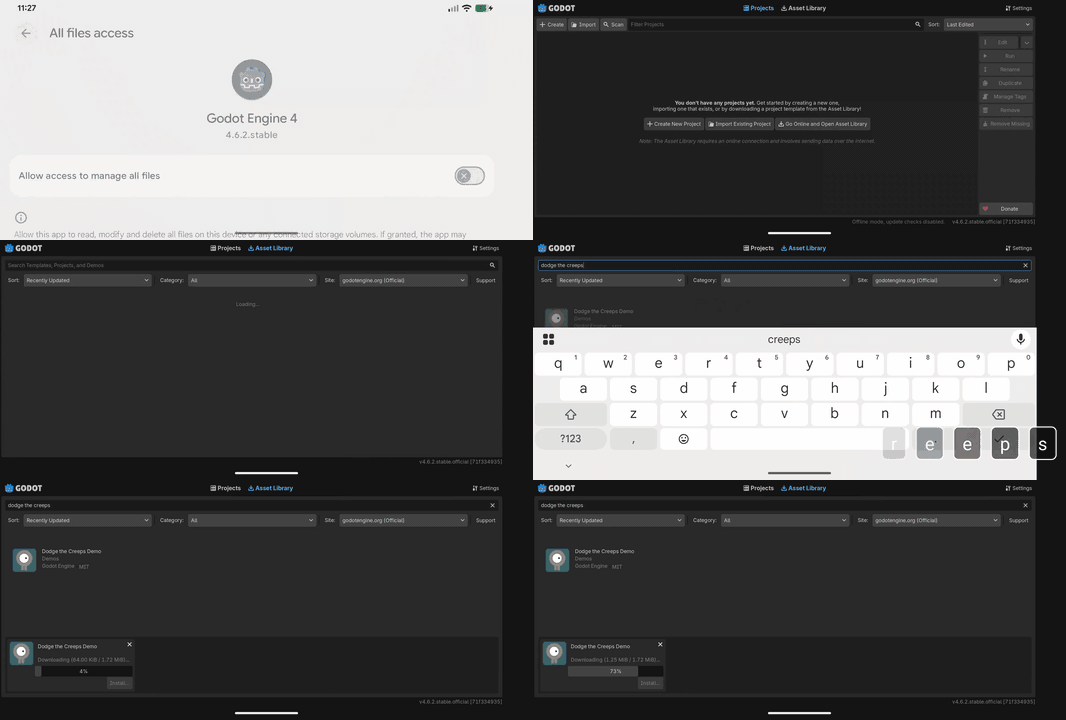
You can use your own project, or get a demo. In the Project Manager, click Go Online (the Asset Library is offline by default), open the Asset Library tab and search for Dodge the Creeps.
When Godot asks where to save it, choose /sdcard/GodotProjects/.
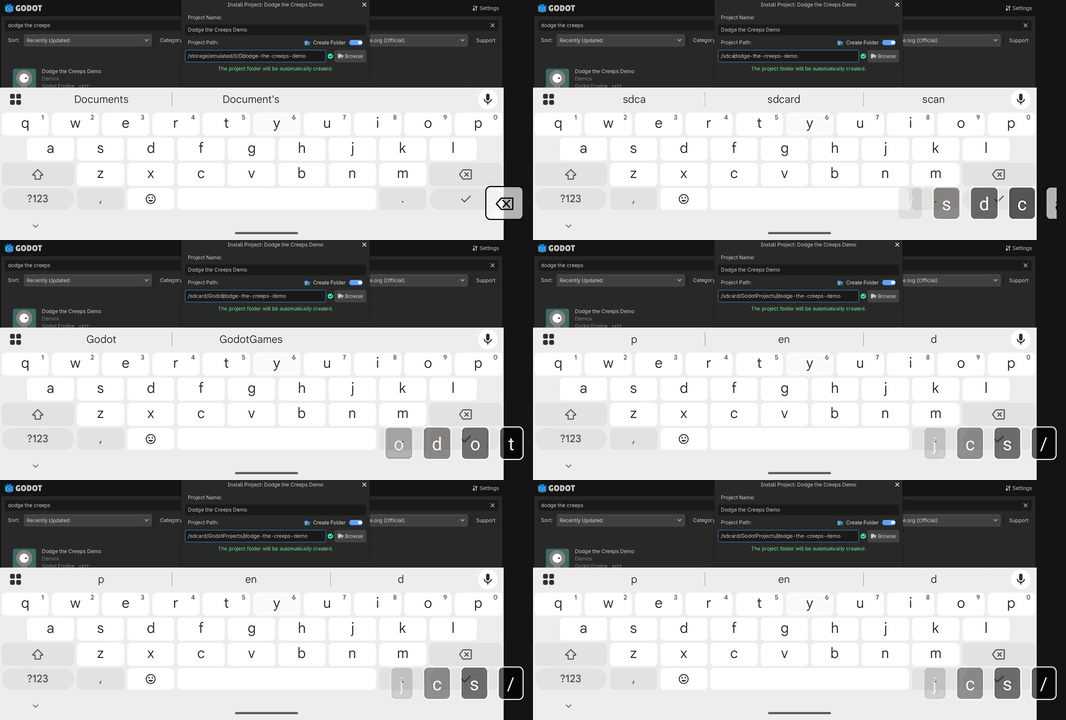
Note: if the project is saved anywhere else, Termux will not be able to see it.
5. Set up iOS signing
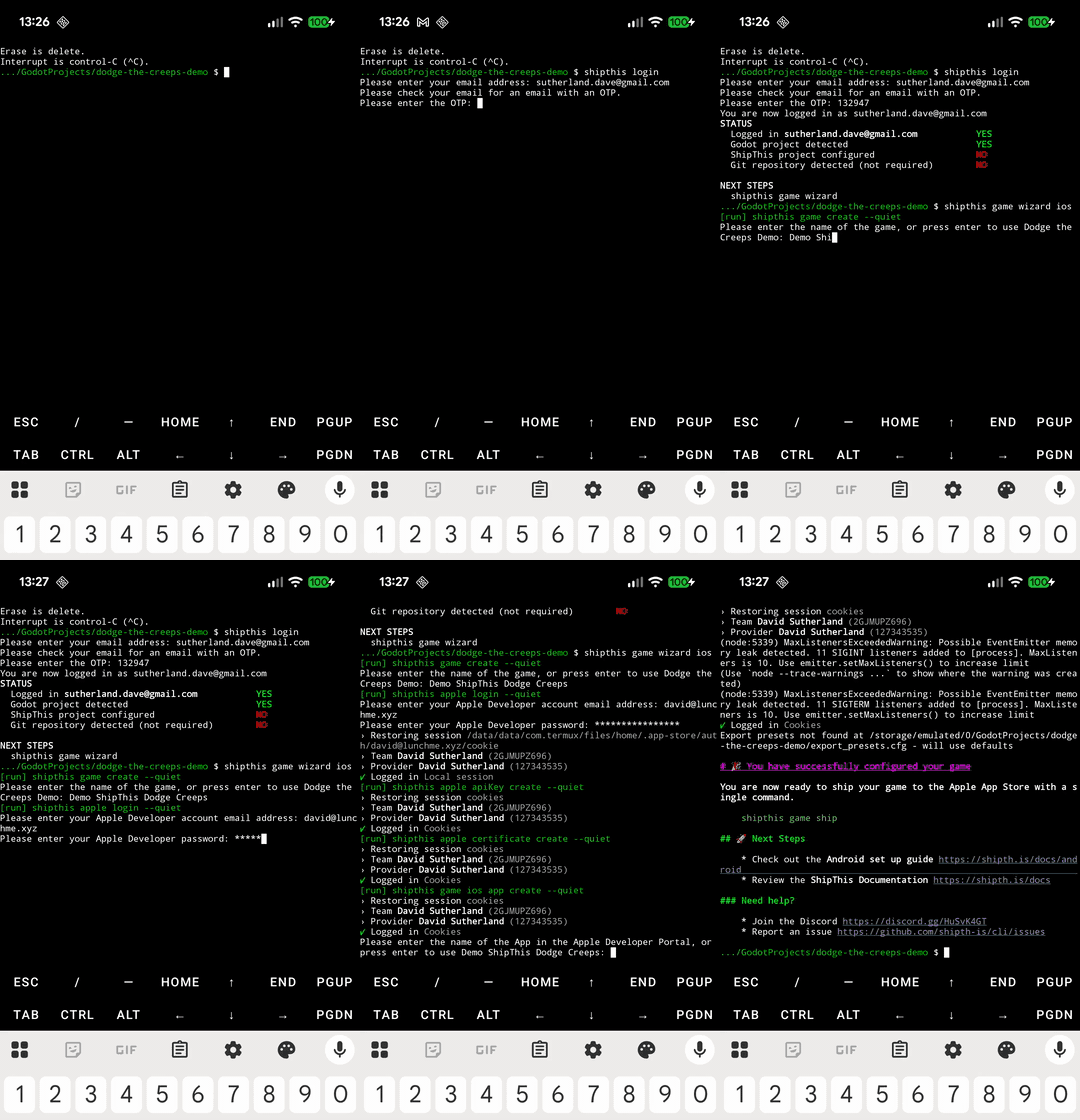
Signing is the part which normally needs Xcode. The ShipThis iOS wizard does it from the terminal instead:
cd /sdcard/GodotProjects/dodge-the-creeps-demo
shipthis login
shipthis game wizard ios
It signs in to your Apple Developer account and sets up the distribution certificate, the App Store Connect API key, the bundle ID, the app in App Store Connect and the provisioning profile. If your Apple account has two-factor authentication and you have no other Apple device, the code comes by SMS. Your Apple password is sent straight to Apple, not to ShipThis. The certificate and API key are kept in your ShipThis account, so the cloud Mac can sign and upload your builds.
6. Ship it
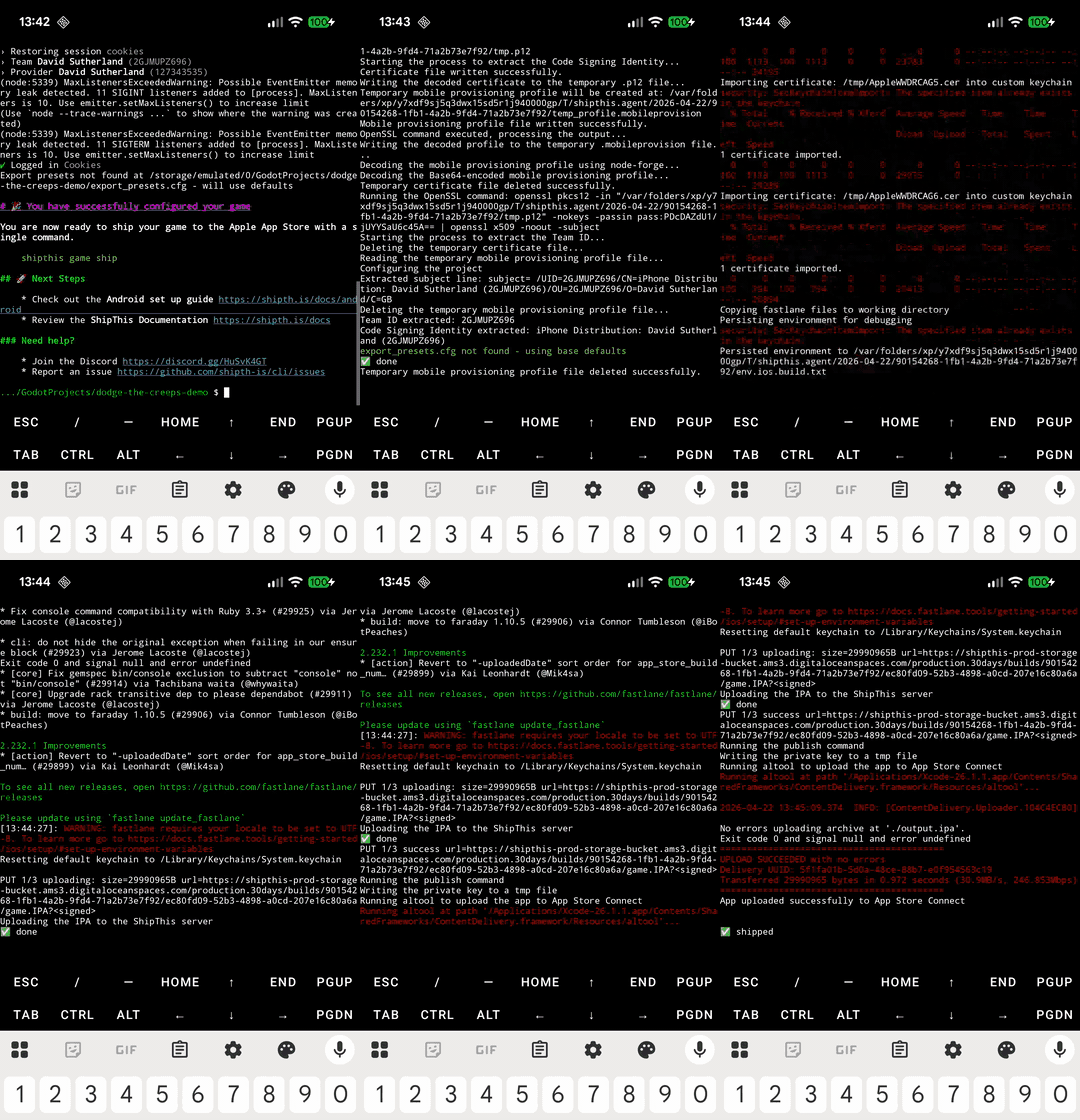
shipthis game ship --platform ios --followshipthis game ship uploads the project. A cloud Mac exports it with Godot, signs it and uploads it to App Store Connect. --follow shows the build log as it runs, so you can watch it from the phone.
7. Check TestFlight
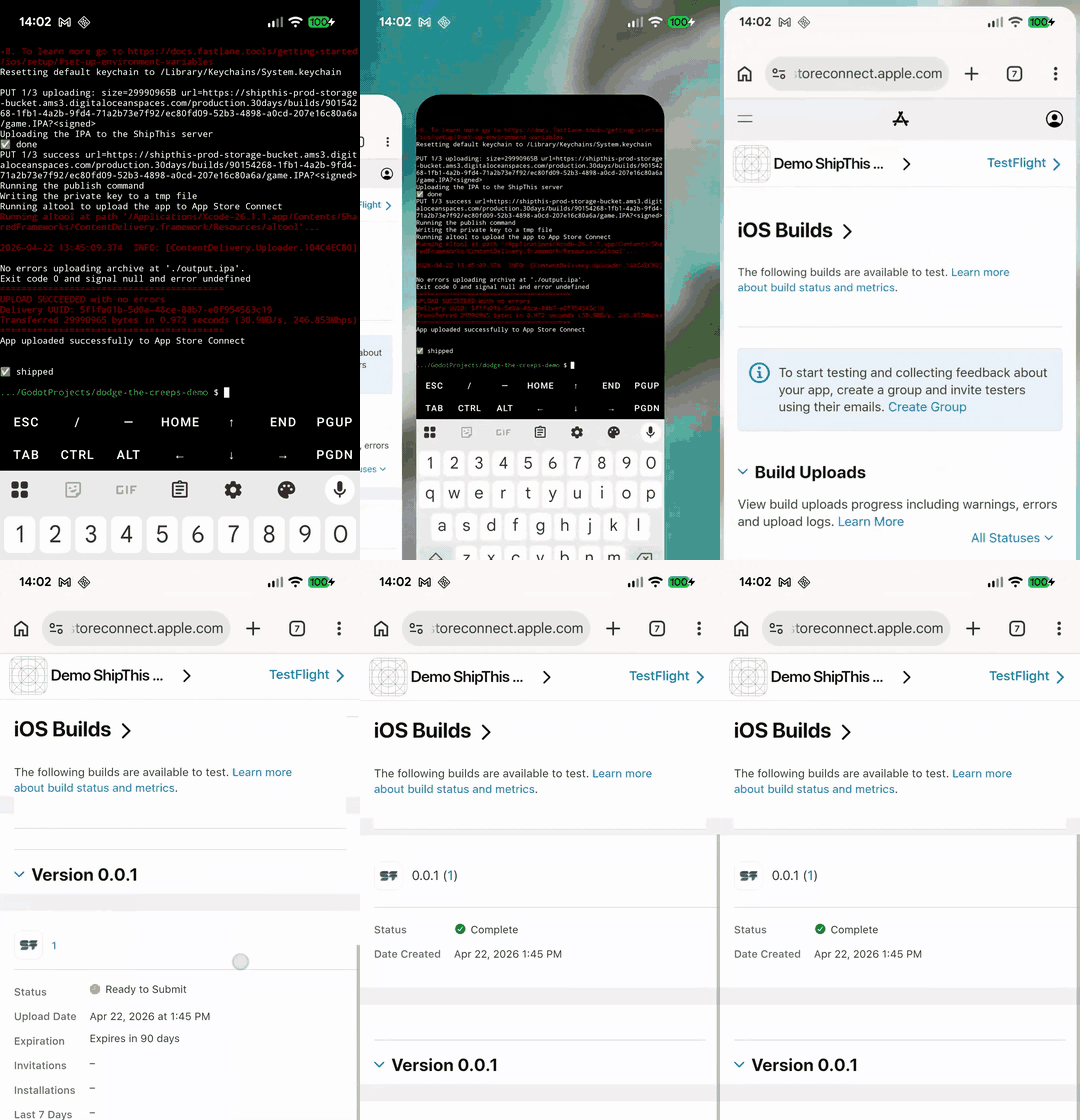
Open App Store Connect in the phone's browser and go to TestFlight. The build shows up there once Apple has finished processing it, which can take a few minutes. It may ask you an export compliance question first. Then you can add internal testers straight away - external testers need Apple's beta review first.
FAQ
Is any of the iOS build done on the phone?
No. The phone runs the command line tool. The Godot export, signing and upload happen on a cloud Mac.
Do I still need an Apple Developer account?
Yes, to publish to TestFlight or the App Store. That is paid to Apple, not ShipThis.
Which Godot versions work?
Godot 3.6 and every 4.x stable release.
What happens to my project files?
They are uploaded to private storage. The build machines are wiped after each build, and uploads and builds are deleted after 30 days. There is more on how ShipThis handles your project files.
Can I do Android too?
Yes - run shipthis game wizard android, then shipthis game ship --platform android.
What is ShipThis?
ShipThis is an open-source (MIT) command line tool for building and publishing Godot games to iOS and Android without a Mac. The builds run in the cloud, so you can ship to the App Store and Google Play without a Mac. It is free while it is in open beta, and will always be free for most solo devs. The code is on GitHub: github.com/shipth-is/cli.